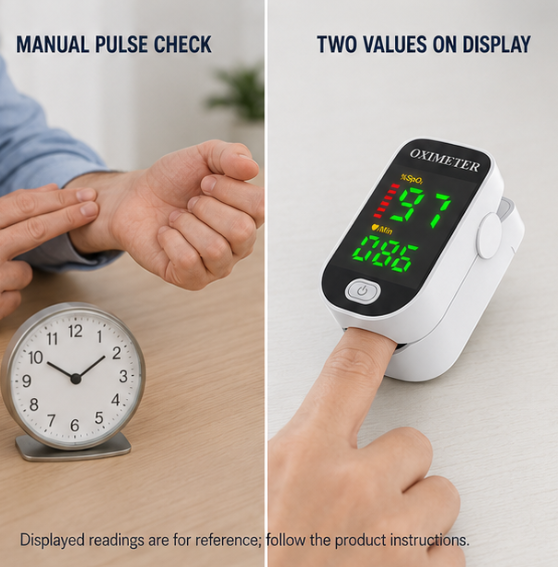
The finger is in, but you have no idea what your oxygen levels are doing right now.
Those who want to monitor their oxygen saturation or heart rate in everyday life often look for a quick way to display these values. The compact finger pulse oximeter shows SpO₂ values and heart rate directly on the finger. The LED display presents the measurement values clearly – both during the day and in lower ambient lighting. Simply insert the finger, press a button, and read the displayed values.

Advantages
- No more uncertainty about current values: The device displays SpO₂ values and heart rate within a short time directly on the display, enabling easy viewing of the current measurements.
- No cumbersome carrying around heavy equipment: The compact housing made of ABS plastic is lightweight and handy – allowing convenient use at home or on the go.
- No dead battery after short inactivity: The automatic shut-off function during inactivity supports economical battery consumption and can help extend battery life.
Specifications
- Measurement parameters: SpO₂ (oxygen saturation) and heart rate
- Display: LED digital display
- Material: ABS plastic
- Dimensions: Approx. 5.8 × 3.9 × 2.6 cm
- Power supply: 2 × AAA batteries
- Operation: One-button operation

Usage
- Insert: Insert AAA batteries into the compartment and close the device.
- Attach: Fully insert the index or middle finger into the sensor chamber until it fits securely.
- Read: Press the power button – after a few seconds, the SpO₂ value and heart rate will be displayed on the LED screen.
Pro tip: Keep the finger as still as possible during measurement and avoid moving the hand – even small movements can affect the reading. Wait briefly until the displayed values stabilize before noting them down.