The timer is running out – and you no longer know how long the food has been on the stove.
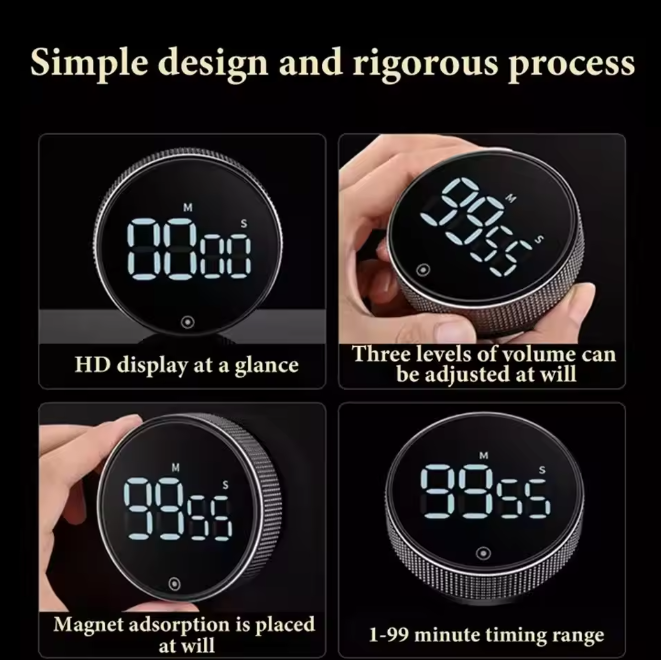
During cooking, it's easy to lose track: too many distractions, too little time. The digital magnetic timer can be set in seconds with a single rotary knob and sticks securely to the refrigerator or stove. The HD LED display clearly shows the remaining time at all times – even from a distance. This way, the food is always perfectly cooked without constant checking.

Benefits
- No more burnt food: Thanks to the precise 99-minute countdown and the clearly audible alarm, you notice in time when the time is up – without constantly looking into the kitchen.
- No more complicated operation: A single rotary knob is enough to set and start the time – children and older people can use it immediately without instructions.
- No worries about slipping or misplacing: The two strong magnets on the back hold the timer securely on metallic surfaces – it’s not lying around when you need it.

Specifications
- Maximum measurement time: 99 minutes
- Minimum unit: 5 seconds
- Display: HD LED display
- Alarm levels: Loud (80–90 dB), quiet (65–75 dB), silent
- Attachment: 2 magnets on the back
- Color: Black with silver knob
- Brightness modes: Normal mode (constant) and power-saving mode (dim after 5 seconds, off after another 5 seconds)
- Auto-Off: After 10 seconds of no operation

Usage
- Attach: Attach the timer with the magnets to the refrigerator or another metal surface within sight.
- Set time: Turn the rotary knob until the desired time appears on the display – each turn changes the value by 5 seconds.
- Start: Press the button (⊙) to start the countdown; press again to stop or reset.
Pro Tip: Set the power-saving mode if the timer is placed in a visible location – it turns off the display after a short inactivity period, saving energy without losing oversight.