Connect wireless screencast device – and the screen stays black while everyone waits
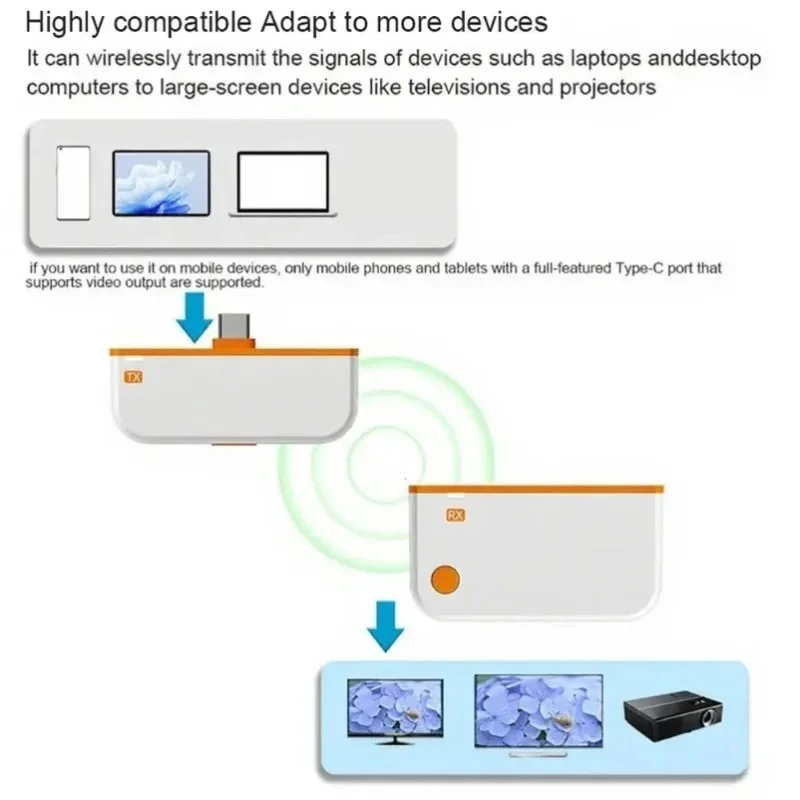
Trying to connect your laptop to the screen in the middle of a meeting and endlessly struggling with cables – that costs time, nerves, and credibility. The ScreenCast solves exactly this problem: just plug it in and within seconds wireless screen transmission begins – no software, no configuration, no waiting time. The result is stable, clear image transmission on the desired display – whether in the office, the presentation room, or at home.

Advantages
- No more nerve-racking setup: The annoying search for drivers, configuration menus, or Wi-Fi connections is completely eliminated – just plug in and start immediately is all it takes.
- Valuable minutes are no longer wasted: Transmission starts within seconds, so no time is lost on technical preparations and every presentation begins on time.
- No more doubts about device compatibility: Thanks to wide device support, you don’t have to check before every use whether your device works – the ScreenCast works reliably in various setups.

Specifications
- Material: ABS
- Color: White
- Dimensions: 2.6 × 7.55 × 1.09 cm
- Connection type: Wireless, Plug & Play
- Scope of delivery: 1× ScreenCast

Usage
- Connect: Plug the ScreenCast into the appropriate port of the display device – no driver or software required.
- Pair: Pair your own device (laptop, smartphone, or tablet) with the ScreenCast – the connection is established automatically.
- Transmit: Screen content is immediately displayed wirelessly on the target screen – stream presentations, videos, or content in clear quality.
Pro tip: For especially stable transmission, position the ScreenCast as close as possible to the display device and minimize disruptive Wi-Fi sources nearby – this makes image transmission even smoother.